
As technology becomes more vital to the church world each day, communication within the church organization is critical.
Not only is there plenty going on but the people who need quick access to their important services, like email, calendaring, and documents are also on the go. Many churches do not have the resources to employ a full time IT staff and churches could cause volunteer burnout if those loyal servants are constantly having to do tech support.
There is a solution for that. It is Google Apps.
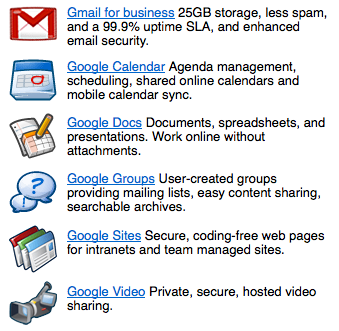
Google Apps is “cloud computing.” Rather than having all of your data stored on a server within your organization, it’s all located on Google’s own scalable server environment. Google Apps includes email, calendaring, document sharing, intranet websites, instant messaging, video and groups.
Essentially it’s a complete package.
Below are 10 reasons why you should consider making the switch:
 1. Cost – It’s free. That’s right. Free. Churches and non-profits with less than 3,000 users qualify for the education edition of Google Apps which has no cost. This comes with Google’s own support which is also free.
2. Easy access – You can access your email, calendar or documents from any computer with an Internet connection. You can also have your email and calendar synced with your mobile device.
3. Free up IT – Whether you have IT staff or just volunteers, this frees them up to do other work and projects.
4. Calendar Sharing – One of the most difficult aspect of church communication is the inability for people to see what others in their organization are doing. By having access to shared calendars, everybody can see what others are doing. This reduces unnecessary email communication and phone calls.
5. Google Docs – Fully compatible with Microsoft Office, Google Docs allows for the organization to store and share documents on Google servers instead of a local server (or desktop/notebook computers). This also allows the church to share documents with their congregation. Google Docs has easy ways of creating online forms that can be used for church functions, ministries, small groups, etc.
6. Ease of Deployment – They walk you through the entire process and it is easy to set up.
7. Cross Platform Capability – Your lead pastor has a Dell Latitude and uses Outlook. Your worship pastor has a Mac and uses Apple Mail and iCal. Not a problem. Google Apps can do two-way sync with both platforms.
8. Synchronization – You have a desktop at your office with Microsoft Outlook and another at home with the same, but you’re connecting using POP. Emails you read and respond to at home, don’t sync to your computer at the office. With Google Apps, you can have it all synced. Whether you access it from Outlook at home or at the office, through your mobile device or on the web at an Internet cafe, all of your info is synced.
9. Saves Time – You’ll spend less time trying to get everybody on the same page with information and more time working on your various church ministries.
10. It’s Free. – Did I mention that already? I did. But it is worth mentioning again.
You can read much more about Google Apps and how it works at the main website. Here is a valuable FAQ and information on the educational side of Google Apps which most churches qualify for.

Jay Caruso
I am photographer. I love my wife and kids immensely. I have a personal relationship with Jesus Christ, my Savior. I was an IT Director and Project Manager for 10 years. Now I am a Senior Logistics Analyst at The Home Depot. I love the sport of baseball and the New York Yankees.






Totally with you on this, I think that Google Apps is fantastic.
yes. it is. i use it for all my startups too
I don’t rain on the parade that is Google Apps because I’m pesonally a fan, but I think there’s something to be said to the dudes in the tin foil hats:
Keeping your data in the cloud does relinquish ownership of your data on some level.
Again, I’m a fan of this stuff, but I also try to keep local backups and try not to save a lot of stuff like financial information.
Of course, Apps does have the ability to save local copies and then can re-import them should the need arise.
I’m just trying to cover all bases (even if it does make me a Debbie Downer).
ownership of data is pretty important but i’ve honestly just rolled with it.
Debbie:
You make an excellent point. My gut says the benefits gained from offloading the time and expense are worth the risk. Perhaps a part 2 post on low cost ways to mitigate the data ownership risk is in order? You’re just the gal for the job.
peace | dewde
Google Docs recently (about two-three months ago?) made it possible to do a batch export of ALL your docs which makes it A LOT easier to do local backups which greatly mitigates the “what happens if my data in the clouds disappears?” concerns.
Another cool thing you didn’t mention John, but I think is worth mentioning is that Google Docs allows for the sharing of ANY file type in the cloud now. I still think dropbox is better for that kind of thing but still…
i do love dropbox: https://churchm.ag/5-reasons-why-your-ministry-should-use-dropbox/
I can totally understand the need to keep confidential and financial information out of the cloud or backed up locally. My main goal in pushing Google Apps is for the purposes of communication more than anything else. I’m involved with several ministries at our church and do you know how many times I have heard, “I’m not at the office so I don’t have that email in front of me.” or a variation?
My wife is the nursery director and while it is a volunteer position she has a church email account. She gets frustrated because she has Outlook on a desktop and on a notebook and the mail doesn’t sync up. I’ve found a way to do it for her using Dropbox of all applications, but she has to make sure that both instances of Outlook are not running in order for it to work properly.
Such things are such a waste of time and I am certain that it goes on at a lot of churches.
good points,jay…drop box is very helpful
We switched to Google Apps back in December and I love it. The rest of the staff is slowly learning how to use all of its features still.
In regards to Docs. We still have our own server farm on site that we keep most of our files on. However I’m encouraging GooDocs for creative team files and spreadsheets for youth trips. I told our finance department not to use GooDocs for the reason you stated. We need to keep ownership of those sensitive materials.
One of the big advantages of working with google docs is everyone is working on the same up to date copy. Pre-google docs I employed the email round to everyone the updates method when adding something to a team project. Even with a very small group it is inevitable that people won’t keep up with all the updated copies flying around resulting in at least some of the team working on the wrong version. This has resulted in an old, non-proofread copy of what we were working on accidentally get submitted for assessment by a group member who thought they had the most up to date version! Thankfully it didn’t get us into trouble but it easily could have. Having everyone work from the same google docs document prevents these problems.
i love that feature!
I would love to get this going for our church. Just wish I had started using it from the beginning. I’m a googleholic
do it!
We started using Google for Domains after years of Novell and Exchange: the migration was painless.
Here’s how to upgrade to the
Education Edition if you currently use the Standard edition: http://www.google.com/support/a/bin/request.py?contact_type=nonprofit
We’ve been using Google Apps at http://firsthattiesburg.com for 2 1/2 years and love it.
wow, tahnks for that clarification!!!
Nice tip!
Google Docs now allows you to upload any file under 1GB to share, not just MS Office files. Simple file sharing. http://googledocs.blogspot.com/2010/01/upload-and-store-your-files-in-cloud.html
Brad:
Excellent point! This should be in the article, too! Wow that is way cool.
peace | dewde
Other benefits:
1. If your church cycles through IT volunteers… any new IT kids coming into your organization will know how to admin Google Apps because it is well utilized beyond ministry.
2. Gmail and Google Docs are pervasive for personal use, so new staff members and regular ol’ church volunteers usually will not require training when they come on board at your church.
GREAT article, Jay. I hope many churches are blessed by this information.
peace | dewde
great stuff Jay. Totally agree. One of my favorite things that Google allows you to do is competitive tracking. For churches, this could be applicable in numerous ways I think. In essence, using an iGoogle page to have a place where everyone in your organization can go to see what other churches are doing online.
Good stuff Jay. We use it. It rocks. 🙂
I signed up for Apps Ed edition for our church but haven’t moved us to it yet. I’m waiting for Google to allow Education Ed users to purchase more space.
It still confuses me to some extent though. I would like to upload all of our documents that are shared, but aren’t really “owned” by anyone. Yet, Google seems to base storage quotas on users, not the entire account.
We are just installing GoogleApps for our ministry. So far it is looking great.
A couple of areas that need improvement
1. Shared Contacts
2. Shared Tasks
Does anyone have any good solutions to address these?
Also as a note to any other international readers like myself (I live in New Zealand). The non-profit pricing appears to only be available to North American users. This means that you either need to settle for the Standard edition which has less features or pay $50 per year per user. Still a good deal but not free!
DOH! price is still very good thoguh
Hey Michael,
The only thing I know about shared contacts with GApps is that you can set it up to have everyone who is on the domain automatically listed in each user’s contact list. There are some group options too, but I haven’t messed around much with them.
As far as shared tasks go there is no way to share tasks in the way you’re probably wanting to right now. You can export a list of tasks by email, but that’s not ideal at all.
If you’re really needing to collaborate on tasks you should probably check out Remember The Milk (http://rememberthemilk.com). They have what you’re looking for built-in.
We adopted Google Apps for our domain (free to non-profits) several months ago. Love ’em! Now my e-mail syncs with my iPod, so I’m in touch where ever I have WiFi. We use Docs & Sites to post web forms. Calendars help us coordinate with each other and share meeting spaces.
Awesome. Glad it’s working out for you!
I’m still trying to get people on our church staff to even use gdocs. Getting to google aps may be a bit tricky 😉
But awesome article Jay, agree 100%.
Great, another beautiful article that i will share with my senior pastor. trying to convince him about Internet advantages.
enjoy!
While I love Google Docs myself, I am a bit leery about making a general recommendation to churches.We take a look at Cloud Computing solutions in one of my classes at Biola, and we come away with a mixed opinion on its use. For some churches and ministries, it would be the way to go. But for others, it may not. Some of the downsides have already been mentioned here in these comments, but here is a brief list of things to consider before moving to Cloud Computing (using Google Apps as the example):
1. do you want Google having access to all your data? Do you trust them?
2. Are you always online when using these apps? Though there is a way to use Google Apps when offline, its power comes in to play when you are online.
3. What if your Google account gets suspended because someone hacked it?
4. Are you willing to give up the features that are not in Google Apps that currently exist in MS Office?
5. Is your ministry team open to change when it comes to technology?
Again, I love Google apps for my own personal projects and sharing. And I do use it for specific team collaboration. But I still need my desktop apps when I am putting together a big presentation or a document that needs a professional touch.
dave, these are GREAT counterpoints and worth considering. I will edit the above post to mention a link to this comment. Thanks so much!
Hi John,
What’s the latest on Google Apps/free for churches. We got in over a year ago with an Education license. Have not deployed it yet, but we’ve moved forward and deployment is around the corner.
Do you have any inside the Googleplex advice about this…just guessing you might know some of those folks.
Keep the faith, bro…’preciate all you guys do!
-bill s
http://www.google.com/apps/intl/en/nonprofit/index.html
Google no longer provides Google Apps to churches for free:
http://www.google.com/nonprofits/eligibility.html
Christianity Today has an article on this today….
http://www.christianitytoday.com/ct/2011/augustweb-only/googlecutschurchesout.html?start=1
Suggest you update this post so that anyone searching for the topic will be alerted (in the post) to these changes by Google that were effective back in March.
Again, thx for all you guys contribute to our work together.
Bill Spinks, CCA, MBA
Chuch Administrator, Clairmont Presbyterian, Decatur, GA
You may want to mention to your readers that the only churches that qualify for Google Apps for free are those that are accredited as educational institutions as well as being a qualified 501(c)(3) entities. Otherwise, it’s $30 per user per year (for up to 3000 employees) or $50 per user per year (for 300+ employees).
Thanks!
To the IRS, churches are automatically considered tax exempt under 501(c)(3) of the code without applying for formal recognition. How do you verify to Google that you are a 501(c)(3) organization in this case.
Unfortunately I was looking though googles website and noticed a restriction on the non-profit version, specifically it says,
The following organizations are not eligible for Google for Nonprofits:
…
•Religious content or proselytizing on website as well as organizations that use religion or sexual orientation as factor in hiring or populations served
…
see http://www.google.com/nonprofits/eligibility.html
This is very unfortunate as I agree Google Apps is a good product for churches, ministires, businesses, anywhere where colaboration is key, unfortunaltey look slike now churches and religious non-profits must shell out the extra money. Hope this does change in the future.
I applied for Google Apps free for Non-Profits and was rejected (50 year old Catholic Church). You really should have checked your facts better before posting this article claiming it’s free. It’s really not worth the $30/person/year…
Google has since (early 2011) stopped allowing religious organizations to use Google Apps for free. Anyone before that was grandfathered in (as we were) and are still able to use this free.
How do churches qualify to use Google for Non-Profits when Google specifically calls out Communities and Groups that have Religious content or Places or institutions of worship as NOT elegible. I’m looking to use Google Enterprise at my church, but this is a rather large hurdle to cross, don’t you think?