

[tentblogger-youtube aQzlJRjXSGY]
Grab a hot beverage and enjoy a White Christmas all over WordPress.com.
WordPress.com users can add falling snow to their blog, by simply doing the following:
- Go to your dashboard.
- Navigate to Settings » General.
- Check the box next to “Show falling snow on this blog.”
- Drink hot coca.
As for your self installed WordPress users, here’s how you can turn your blog into a Winter Wonder Land:
Let It Snow!
As you can see below, this WordPress plugin is not short of options!
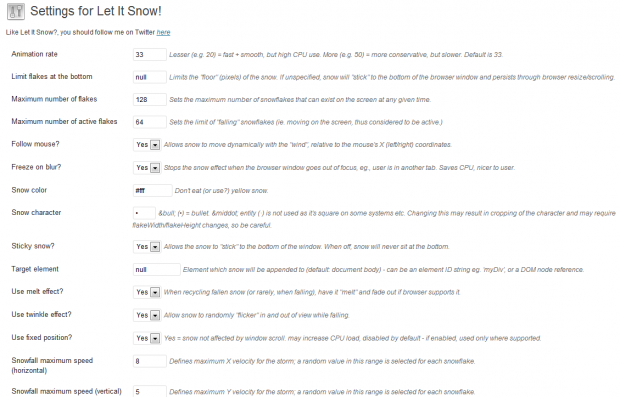
I tried it on my wife’s blog, and it’s really awesome.
It looks even better on a dark background. It was kind of hard to see it on hers, since her blog is mostly white.
I absolutely love how some of the snow sticks at the bottom of the page — brilliant!
At first, I thought this might be a little tacky (like Flash), but it’s very well done.
Download Let It Snow! from the WordPress Plugin Directory or straight from your Admin.
[via WordPress Weblog]

Eric Dye
Support Lead at Valet, and Proprietor of DYECASTING. Human by day, gamer at night, lover of coffee, and all things spicy.







Cool! (literally…)
I’m currently using: http://www.somethinghitme.com/2011/10/05/jquery-snowfall-1-5-update-now-with-snow-buildup/ to make it snow on some clients sites. Under 4kb of jquery goodness 🙂