

One of the banes of non-iPhone users is, Instagram.
Come on, be honest, if you’re not using an iPhone, you want Instagram.
Sure, you can dangle all the Instagram alternatives in my face, but when it comes down to it, there’s only one Instagram. (Thankfully for Android users, Instragram is on the way!)
How would you like to apply Instagram effects to any photo? Whether it be a photo taken with your Android, point and click or high-end digital camera, it would be nice to apply those sweet lookin’ effects, right?
Now you can!
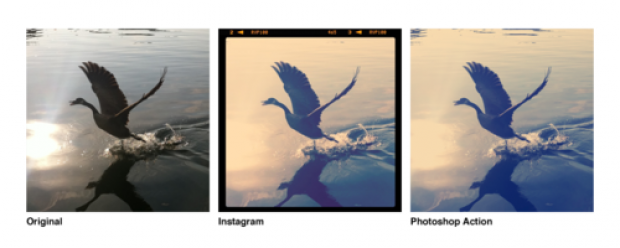
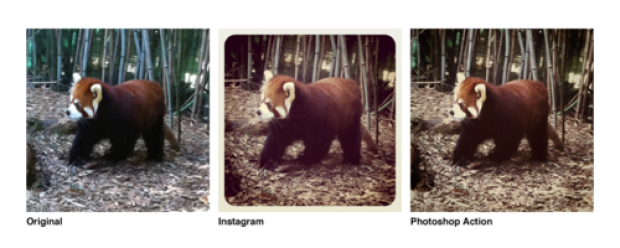
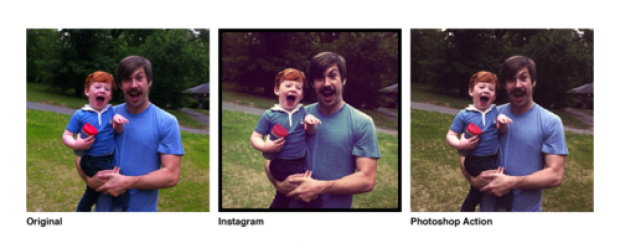
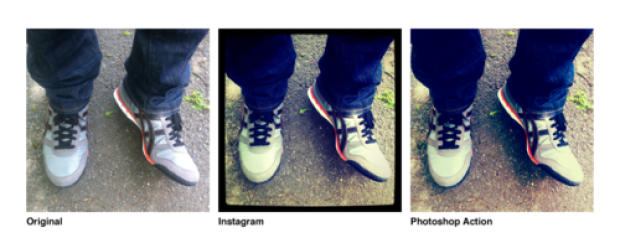
Daniel Box has put together a Photoshop action file that will mimic the Instagram effect.
Their not 100% accurate, but they do a decent job.
Check it out:
Nashville
Earlybird
Brannan
X-Pro II
Earlybird and Brannan will need a few tweaks:
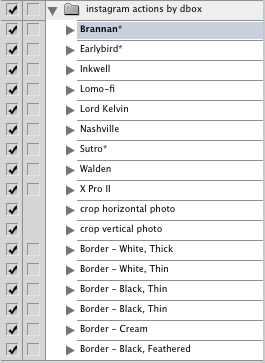
Download the Photoshop action file and start applying some Instagram effects to any photo!
(Some effects need tweaking, batteries not included.)
[via Daniel Box]

Eric Dye
Support Lead at Valet, and Proprietor of DYECASTING. Human by day, gamer at night, lover of coffee, and all things spicy.






Oh, this is brilliant! Thanks for this!
It’s what we do 😉
Awesome! Sometimes the instagram look is just what I am looking for. Wish I had an iPhone as well!!
😀
Just tried them! Awesome!!!
It’s hard to tweak filters to look just like Instagram, but these are darn good!!! The differences are negligible. Great job!
Awesome!
They really are great, eh!
How can I install it!
There’s an error message
Oh my god that is AMAZING… you are a total legend for sharing that!!! thank you thank you thank you… as a wedding photographer, everyone is wanting the instant fairy tale look, and messing around for hours in photoshop trying to recreate the instagram look is just a nightmare. Dude, you just made my life soooo much easier, thank you again!!! :o)
Glad it’s helped!
Perfect!…this tutorial it’s very useful, i was always wondering what was the exact process with photoshop
WOOT! Glad it was useful!
pls how do bring dis file into my Photoshop am kinda
new in all dis pls
Sure thing, man. Here’s how: http://acephotoshopactions.com/how-to-use-photoshop-actions/