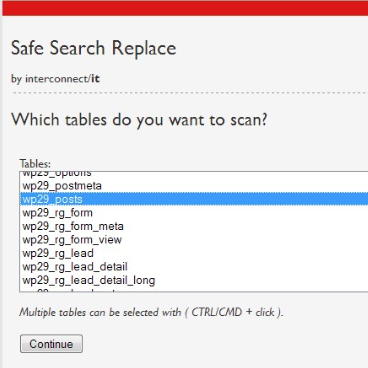

This past weekend I had a WordPress website migration to make.
It wasn’t your traditional migration, as the domain changed. With well over 500 blog posts, it wasn’t a small move, but I did learn a few things that I would like to share with you all.
After importing the old database info into it’s new place, I went ahead and changed the WordPress settings via MySQL (maybe will cover this more later). I thought I was done, until I realized that all internal links were wrong. From images to URLs, the blog was essentially broken.
Knowing that I could run some MySQL magic and update all of these in one routine, I hit-up Google on the deets.
Here’s what I learned:
“When you’re migrating WordPress (or any other platform using serialized PHP strings in the database) between domains, you must use a safe search and replace method that preserves the integrity of the serialized string lengths. A simple dump file for http://localhost to, for example, http://thenewdomain.com is problematic because the length of the string changes but the indexes for the serialized strings does not. Consequently settings are lost and widgets disappear. Not good.”
Solution?
Serialized PHP Search & Replace Tool
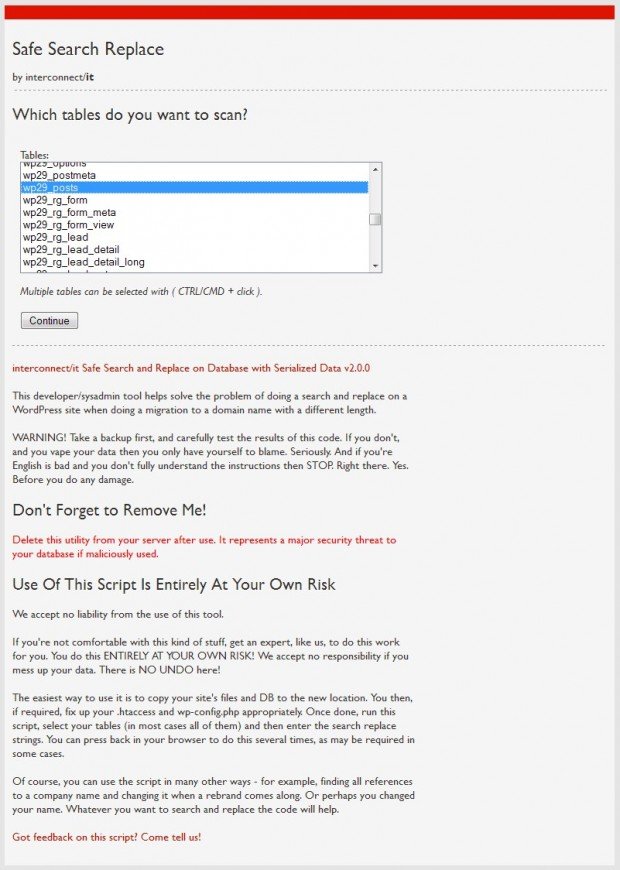
This was ridiculously awesome.
Not only did this update everything the correct way, it was quick and easy!
Here’s what I did:
- Downloaded Search Replace DB v2.1.0 (a simple PHP file)
- Renamed it with a cryptic name
- Uploaded it to my root WordPress install (the usual httpdocs)
- Jumped to my browser and dialed it in: http://newurl.com/crypticname.php
- Followed the prompts
- Ska-DOOSH! <– (the sound I made in my head when it finished)
- Deleted the crypticname.php file from the server
And that’s it!
All the internal URLs and image file links were updated and now correct. Plus, I had the security that the strings in the database were not harmed in any way.
Pretty cool, right?
You can download the latest version and learn more on the Interconnect/it website.
[via Internconnectit.com]

Eric Dye
Support Lead at Valet, and Proprietor of DYECASTING. Human by day, gamer at night, lover of coffee, and all things spicy.








I’ve used this the last few times I’ve had to migrate from development to a live environment. It’s amazing!
Ah, yes. You’ve experienced the joy, too. 🙂
Eric, I’d love to hear how you did this migration. I did a WP migration this past weekend too and all of my images worked just fine. But then again, I wasn’t changing hosts, everything was on the same server but it was a new domain and new WP installation. I also exported my old database and imported it into the new one.
Dude! You’re a pro!
Ha ha, thanks 🙂
We host with WP Engine and they have great documentation online. I used their self migration process to do all of my migrations because I found that their process works with any host. If you’re interested Eric, you can check out the documentation here:
http://support.wpengine.com/migration-process/
Cool! Thanks!
(Pricy! But nice :))
I just went through this headache recently too. Search/Replace’s are easy. But maintaining serialization is where it gets tricky. I used this pretty sweet utility called Peach on Github: http://petesaia.github.com/Peach/. My help you next time too.
Very cool, Scott, thanks for the link love!
Just to note, the link above has been updated to http://psaia.github.io/Peach/
Thanks!
Why not just open the .sql file in notepad+ find the old domain URL and choose replace all with new domain URL? I do this all the time. It’s priceless.
I would rethink that. As stated in the post:
“When you’re migrating WordPress (or any other platform using serialized PHP strings in the database) between domains, you must use a safe search and replace method that preserves the integrity of the serialized string lengths. A simple dump file for http://localhost to, for example, http://thenewdomain.com is problematic because the length of the string changes but the indexes for the serialized strings does not. Consequently settings are lost and widgets disappear. Not good.”
I’m not going to risk it.
Awesome tool! The online tool I used earlier didn’t do the job anymore. I did a Google search and found your blogpost and ultimately the tool you describe. Moving our WP site went faster than ever. Thanks for posting!