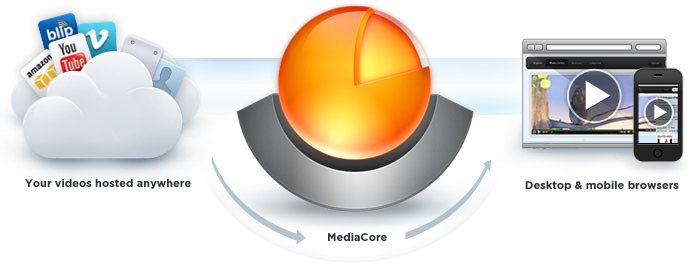

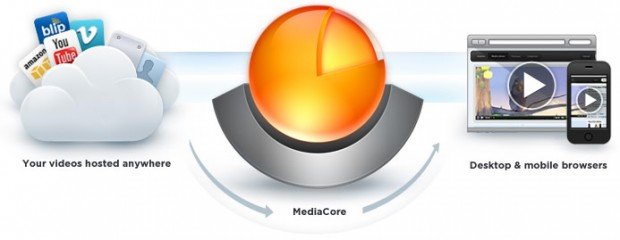
MediaCore is a free, open source video and podcast CMS. Never has the distribution and administration of media been this easy and look so good.
MediaCore provides unparalleled organization, statistics, accessibility, and scalability. Well-designed and well-engineered, it can bring a powerful online video experience to your site.
If that wasn’t sweet enough, MediaCore works on just about anything.
MediaCore
MediaCore delivers video and audio into all your devices, from one place.
- HTML5 & Flash Video
Browse all the video and audio added to the MediaCore CMS from any device: Android, iPhone, iPad, or any desktop browser. - User Generated Content
Upload media via the upload interface. Admin is notified and can review, approve or deny new content. - Store Video Anywhere
Add video from YouTube, Vimeo, Blip.tv, Amazon S3, or any server. Encode video via MediaCore’s automated encoding plugin. - Statistics & Popularity
Track comments, views, and likes on published video and audio. The MediaCore CMS automatically ranks the most popular items. - Social Media Sharing
Comment and share video or audio with friends through Twitter and Facebook sharing features. - Accessibility
Built-in support for the visually impaired through closed-captioning and audio descriptions. MediaCore is fully 508 compliant.
Content Delivery
Looking through MediaCore took my breath away. This is like WordPress for media. It’s that rich.
Here’s a demo landing or home page:
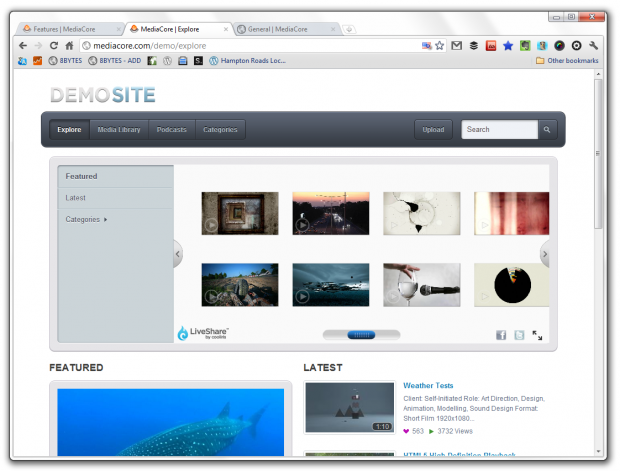
It looks plain, but then again, it’s a demo. You have to interact with it to get the full effect. You can browse in a coverflow style, and view or listen to the media you click-on in the featured section. Once it starts playing, it gives you the typical video options – fullscreen, share, embed, etc …
At the bottom of the landing page, you’ll find your typical magazine style layout, displaying ‘featured’ and ‘latest’ content.
You can also view all the media content, and sort as necessary:
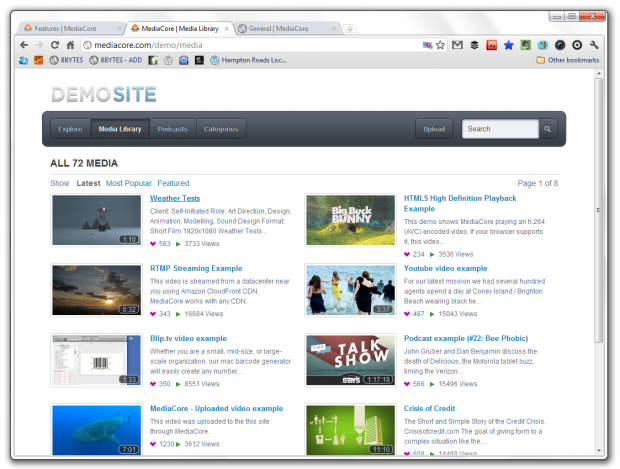
Browse through all the media by date, most popular and featured.
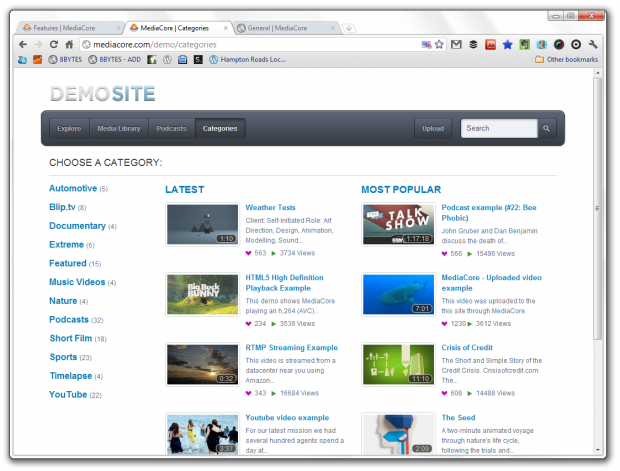
Of course, what would any CMS be without categories?
Visitors can browse by category, too:
When you click on a piece of media, it’s like pulling up a YouTube video page or individual post:
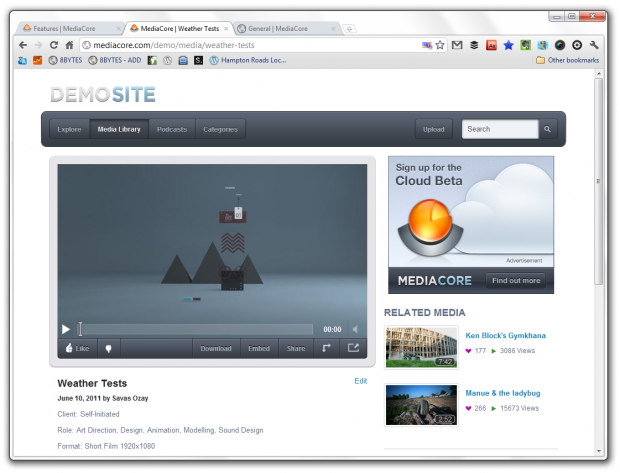
Visitors can leave comments, check-out the video details and related videos.
MediaCore also houses multiple podcasts as well:
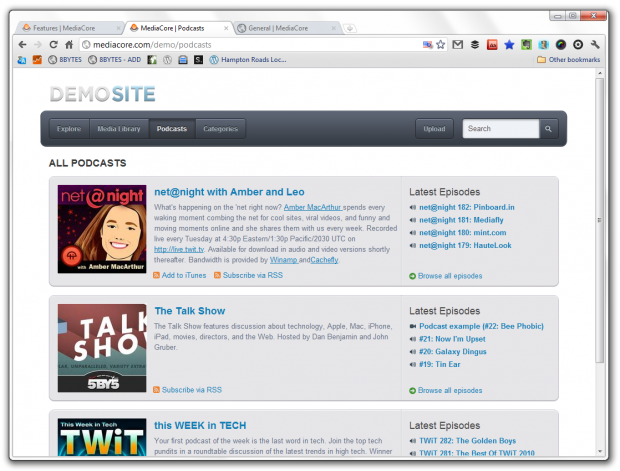
These display more like channels, giving the podcast description along with the latest episodes.
When visitors click-on a podcast, it displays all of the selected podcast episodes:
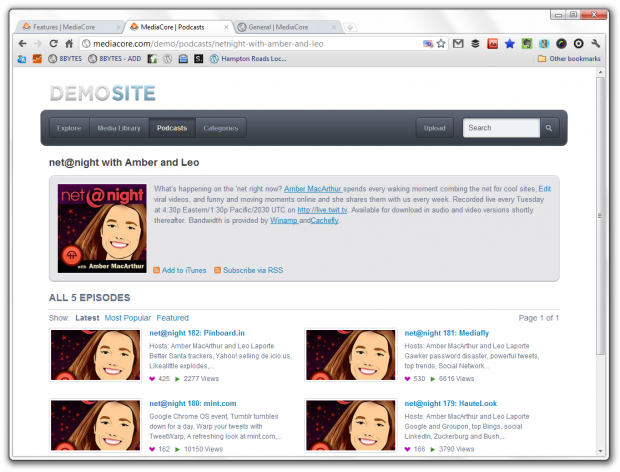
The individual media pages for podcast episodes are just like those for videos, leaving a place for comments, as well as giving the visitor sharing, embed and download options. There’s even a list of ‘related podcasts’ listed.
MediaCore also provides a place for users to submit media, too!
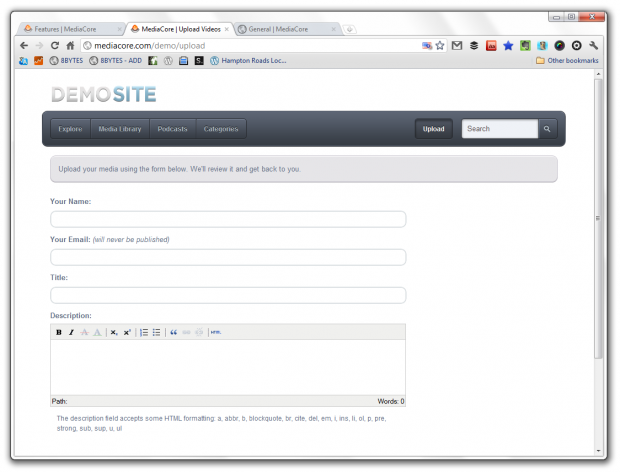
Of course, the admin can accept, modify or deny any and all submissions.
Now, on to the back-end!
Admin
Here’s what you really want to see. After all, if you’re interested in MediaCore, then this is where you’ll be spending most of your time.
Like most other CMS platforms, you’ve have a dashboard:
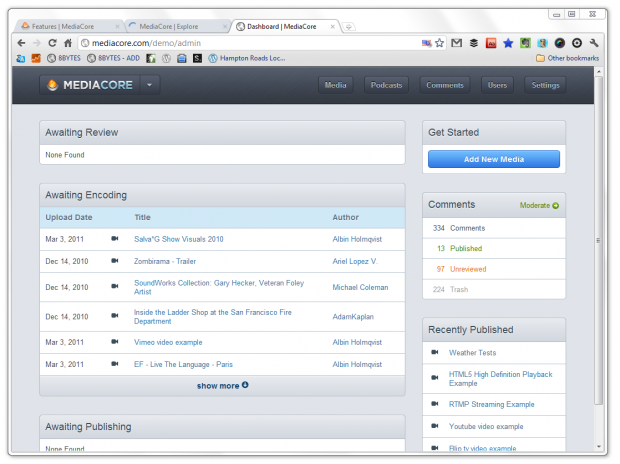
Like a blogging CMS, you’ve got all of your classic info.
Since media is the focus, and not blog posts, you’re next place to go is your media:
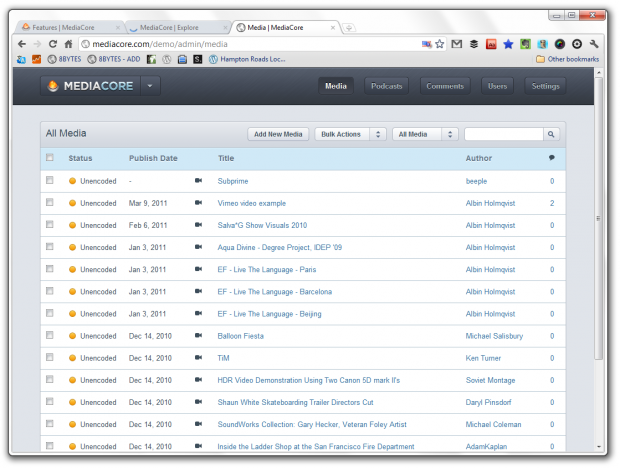
Just like a list of blog posts, all of your media is listed.
Select a piece of media:
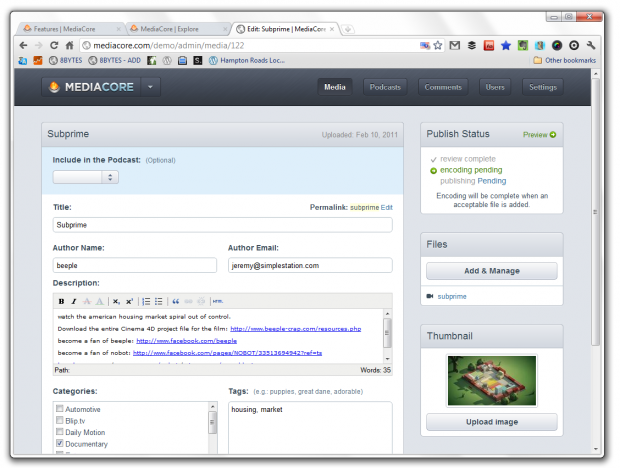
Just like a blog post!
The podcasts work in a similar fashion, but with an added element, the individual podcast pages.
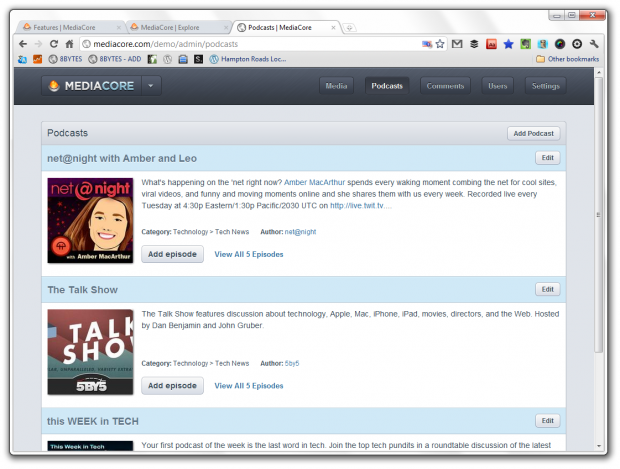
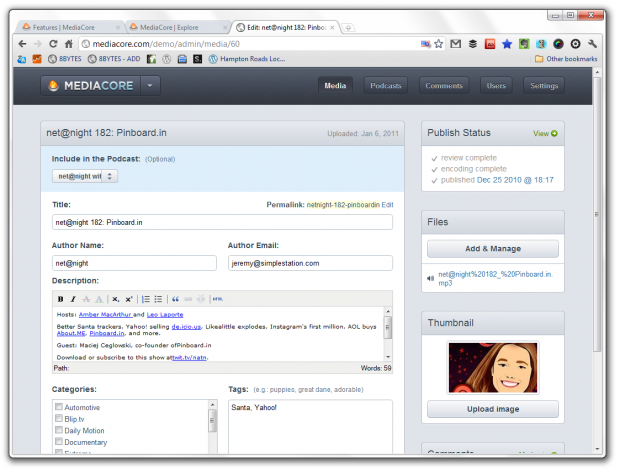
You can see the podcasts listed, but not the actual episodes. From this list, you can edit the podcast page:
Or, view the list of podcast episodes that belong to the podcast:
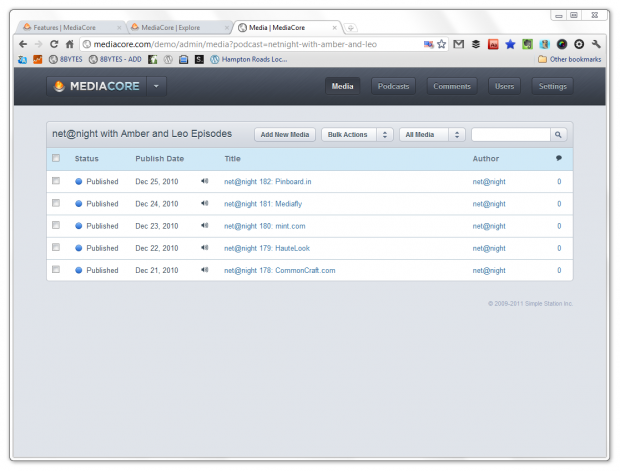
Now this looks more like the page that listed all of the videos. Select an episode and it will pull-up like a video:
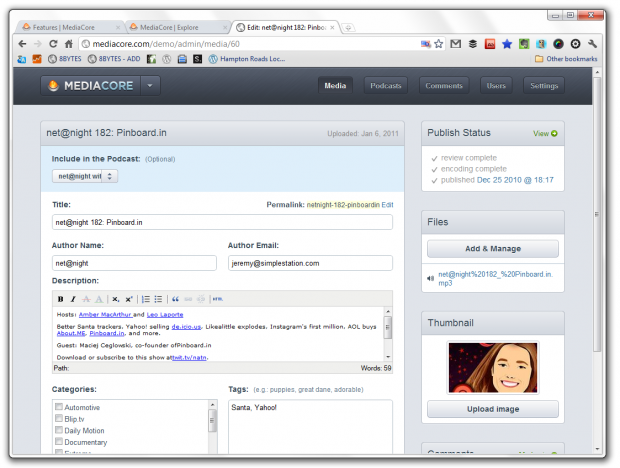
Just like the videos, individual podcast episodes are similar to what you would find with a blog post.
Now, what about the comments?
They’re easy to manage:
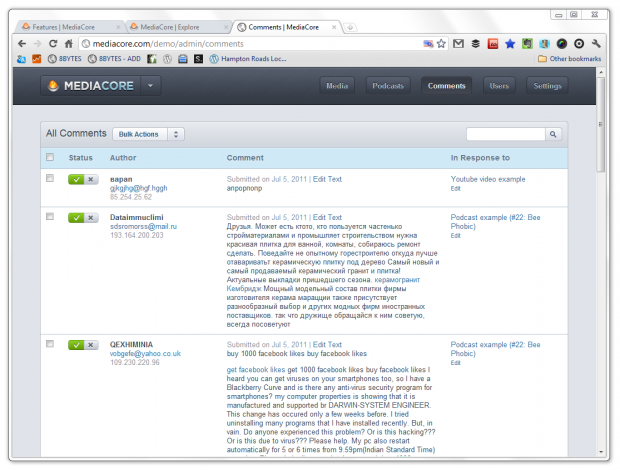
Pretty straight-forward stuff, here.
You can setup as many admins as you would like, and MediaCore is packed with plenty of settings:
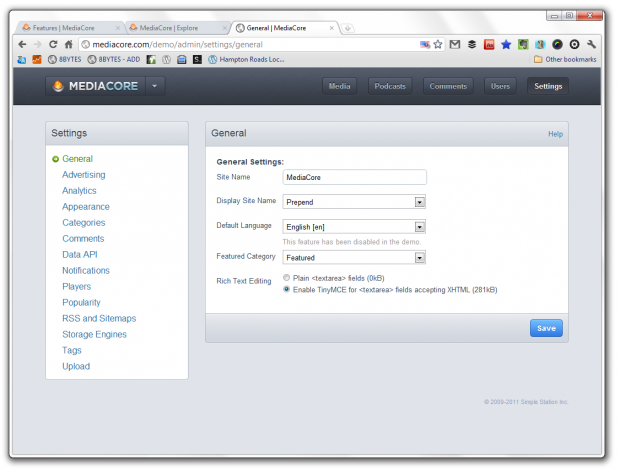
Nice.
Conclusion
I was really impressed with MediaCore.
I’ve barely scratched the surface, here, and there is still so much to explore with it’s options and flexibility. I’ve only covered the basics.
MediaCore does a lot of things right. It works on any device and it’s open source.
Right now, this is the best media CMS you’ll find.
Learn more about MediaCore on their website.

Eric Dye
Support Lead at Valet, and Proprietor of DYECASTING. Human by day, gamer at night, lover of coffee, and all things spicy.






This looks great! Thank you for sharing with the rest of us.
It’s a pleasure, man.
I’ve had an eye on MediaCore for a while. Very cool and the recent mobile version (demo: http://live.mediacore.tv) is a nice addition.
Mobile FTW!
Thanks for the great article—I love all the screenshots!
Screenshots – I love’em. 😀
I have been testing the cloud platform since it opened and the support has been fantastic. After corresponding with the CEO via Twitter several times to get questions answered, I have decided to use it for a substantial new project in Christian education. Folks definitely need to check it out!
That’s great to here! Love it, love it, LOVE IT!
Mmm, this is solid gold. Will be watching closely. Great find, I’d never heard of it! Gonna go shake down my informants…
Don’t shake’em too hard.
I’m very, very tempted to use this. I’ve uploaded well over 100 videos to YouTube. Mostly music and tutorials for worship songs. I’ve wanted a nice way to organize them for a long time now.
My initial thought was that this is a lot like the functionality you get with a YouTube channel – if youtube is how you distribute videos. Granted, this gives you a lot more control over things, but I’m wondering if it would be worth the effort to set this up rather than just directing people to YouTube.
That might be a smart move for you, for sure.
This is a goldmine for ministries, thanks for discovering this for us, can’t believe I haven’t heard of this before!
😀
Hi guys,
Thanks for all the great comments and the nice write-up! If you’re interested in MediaCore, be sure to check out our Cloud Platform that’s in public beta. We’re looking for people to test it out and give us feedback, plus it makes installing and maintaining MediaCore instant and effortless! http://mediacore.com/signup
You guys are so awesome.
Haha, thanks. You guys are pretty awesome as well.