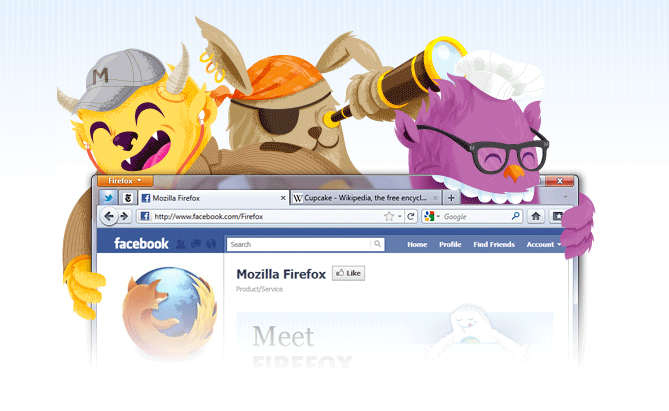

With this increased release cycle, it feels like Firefox just had an update.
Let’s take a quick look:
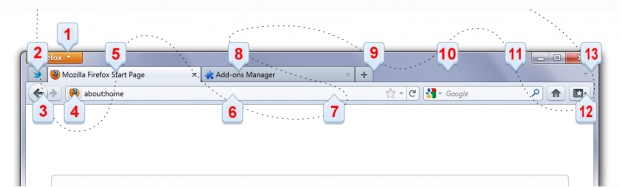
- Firefox Menu Button
All your menu items are now found in a single button for easy access. - App Tab
Take sites you always keep open—like Web mail—off your tab bar and give them a permanent home in your browser. - Private Browsing
Turn this feature on and protect your browsing history. You can slip in and out of private browsing mode quickly, so it’s easy to go back to what you were doing before as if nothing ever happened. - Instant Website ID
Want to be extra sure about a site’s legitimacy before you hand over your personal info? Click on its favicon for an instant identity overview. - Tabs on Top
Tabs are now located above the Awesome Bar to make it easier to focus on the content of the sites you visit. - Awesome Bar
Get to your favorite sites quickly – even if you don’t remember the URLs. Start typing and the Awesome Bar will include possible matches from your browsing history, bookmarked sites and open tabs. - Switch to Tab
As you’re opening a new tab, Firefox will check to see if you already have that site open. If you do, you’ll be directed to the existing tab so you don’t open a duplicate. - Add-ons Manager
The Add-ons Manager lets you discover and install add-ons without ever leaving Firefox. Browse ratings, recommendations, descriptions and pictures of the add-ons in action to help you make your selection. - Password Manager
Firefox can remember your passwords, but does so without intrusive pop-ups. Instead, look for the Remember Password notification integrated seamlessly into your view at the top of the site page. - Customize Toolbar
You can adjust Firefox’s interface to be exactly the way you like it: re-arrange, organize, add or remove buttons or fields to change your browsing experience however you want. - Personas
Change the look of your Firefox in a single click with Personas, easy-to-install themes created by users from around the world (or that you make yourself!). - Bookmark Button
Manage your bookmarks in a single button. Find your favorite links without getting bogged down! - Sync
Sync seamlessly connects your desktop and mobile Firefoxes, so you can access your browsing history, passwords, bookmarks and even open tabs no matter which device you use.
[via Mozilla]

Eric Dye
Support Lead at Valet, and Proprietor of DYECASTING. Human by day, gamer at night, lover of coffee, and all things spicy.







All of that stuff in your list was already in Firefox 4 wasn’t it?
I thought the same thing, at first glance (and there are a number of “featured” things that are the same as 4, I believe).
My favorite change, and it is indeed a change, is Tabs on Top.
Really? I really liked the tabs being on the bottom.
http://blog.mozilla.com/faaborg/2010/06/24/why-tabs-are-on-top-in-firefox-4/
Nice find, Eric. FTW!
Mmmm….very informative 🙂
🙂
Liking no. 7. I wonder if any other browsers rock that feature
Yeah that is a cool feature!
I just tried the feature and couldn’t get it to work.